Almost every fixture in your home — lights, AC, fans, locks, curtains, the front-door camera — can now be connected to the internet and controlled from your phone or a smart speaker. The hard part isn’t the technology any more. It’s deciding what to set up first, what’s actually worth the money, and how to make all of it work together without becoming a second job.
This is a practical, no-fluff starter guide. Use it to plan a smart home setup that actually saves time, energy and trouble — instead of one that just adds gadgets.
How to Make Your Home a Smart Home
The simplest way to think about a smart home: pick one ecosystem (Alexa, Google or Apple), start with one room, and add devices that solve real day-to-day friction. Below are the four categories most people should set up first, in roughly the order that gives the best return.
1. Start with Smart Lighting
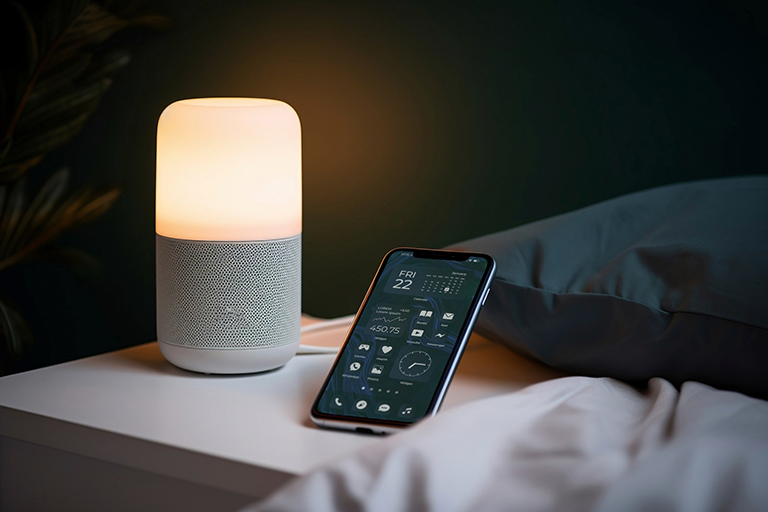
Lighting is the easiest and lowest-risk way into home automation. You replace the bulbs (or add a smart switch behind your existing one) and control everything from your phone, by voice, or on schedules. Look at Philips Hue, Wipro Smart, Syska or Mi for India. The wins are immediate — voice-control bedside lamps, automated outdoor lights at sunset, dim “movie” scenes in the living room, and a measurable cut in your power bill from LED + scheduling.
2. Smart AC, Thermostats and Fans
Cooling is the single biggest power consumer in a Hyderabad home. A smart AC controller (Sensibo, Cielo, or any inverter AC with native Wi-Fi) lets you switch the AC on from the road so the room is cool when you walk in, set automatic schedules around your sleep cycle, and track exactly how much power each unit is pulling. Pair it with a smart fan or ceiling fan controller, and you’ll typically see a 15–25% drop in summer electricity costs.
3. Security: Smart Locks, Doorbells and Cameras
This is the category most apartment owners benefit from the most. A smart lock (Yale, Godrej, Mi) means no more spare keys with the cook or maid — give them a code, revoke it any time. A video doorbell (Ring, Qubo, Mi) lets you see and talk to whoever is at the door from anywhere. Add one or two indoor cameras for the living room or kids’ play area, and you have full visibility of your home from your phone. Make sure everything you buy supports two-factor authentication and stores video either locally or in an encrypted cloud.
4. A Hub and a Voice Assistant
Once you have a few devices, controlling each one through its own app gets old quickly. Pick one ecosystem — Amazon Alexa (Echo speakers), Google Home (Nest speakers) or Apple HomeKit — and stick with it. The voice assistant becomes the single point of control: “lock all doors”, “good night” (turns off lights, sets AC, arms cameras), “I’m leaving” (everything off). For more advanced setups, Samsung SmartThings or Home Assistant can tie devices from different brands together.
What It Costs to Get Started
A basic smart home setup with three rooms of smart lighting, one smart AC controller and a voice assistant typically lands between Rs 25,000 and Rs 50,000. A fuller setup — smart locks, video doorbell, indoor cameras, automated curtains, multi-room audio and a central hub — is usually Rs 1–3 lakh, depending on the brands you pick. Start small, prove the value to yourself, and scale.
Building a new home or finalising an apartment? Several Auro Realty projects ship smart-home-ready out of the box — see the project portfolio for current options.